Till Management
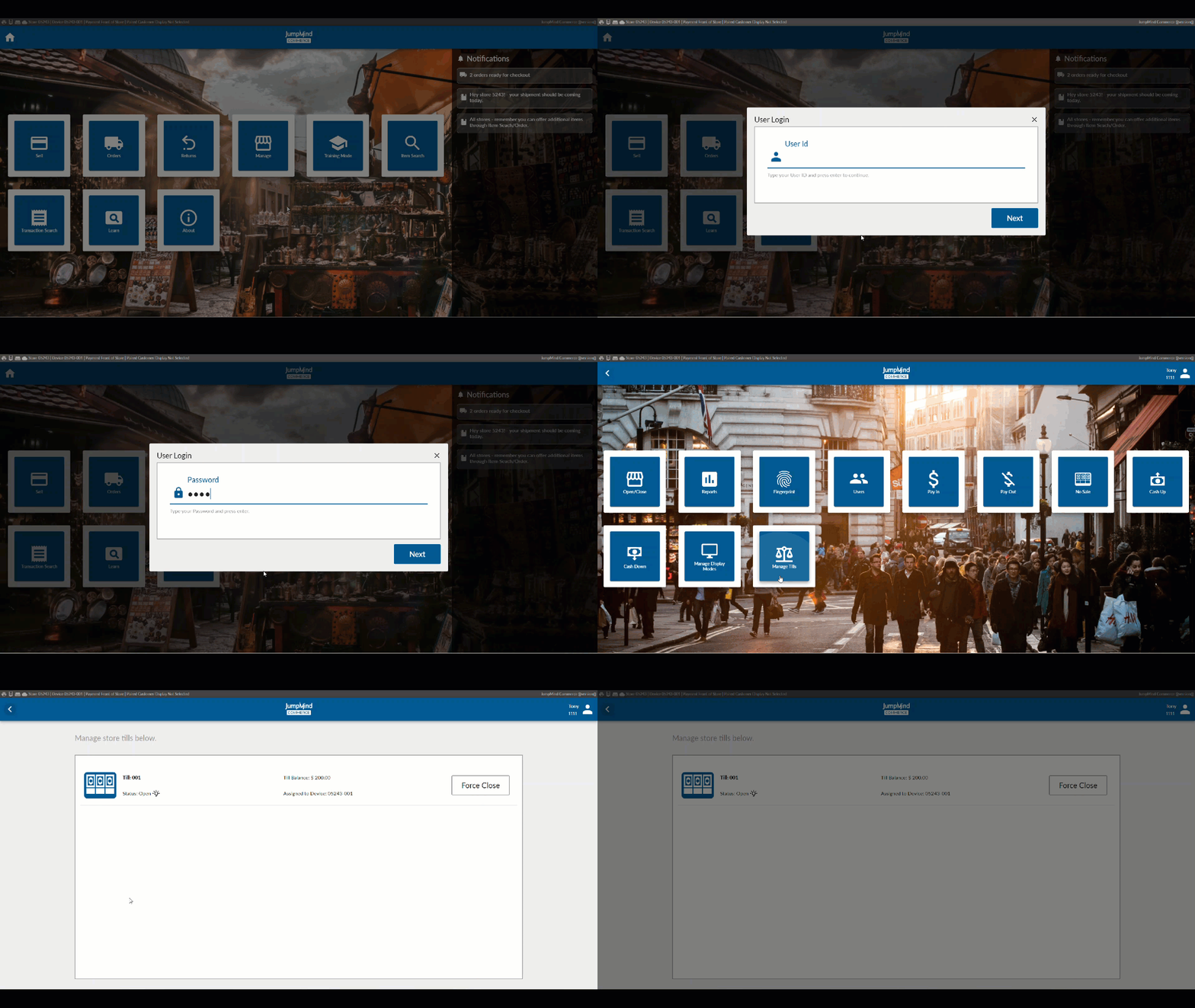
The ability to monitor or close all the store's open tills can be done so from the Manage Tills screen from any of the store's registers.
Concepts
Till
For Jumpmind Commerce, the till is the actual insert which holds the cash and is placed into the checkout device's cash drawer. The money in the till is assigned from the Store Safe. These tills can be configured as desired with many options.
Once a cashier logs into the system, any activity done, with the till, is recorded against their ID.
Till Accountability Options
-
Cashier Accountability: Tills are assigned to a specific cashier. This would be for situations where a single cashier would be ringing out all transactions.
-
Till Accountability: The till is assigned to a specific device. The same till is assigned to the same device and used by multiple cashiers during the day.
Other Till Config Options
Should the float amount be blind to the cashier?
Permanently attach a till to a specific device?
Should the till amount be confirmed before closing the store for the business day?
Set amounts of cash that would trigger the notices to remove or add cash from the till during a session.
Manage Till Screen
Any tills that are currently active will display showing their status and the assigned device.
Configuration Options
| Action | Field | Option |
|---|---|---|
| A confirmation for till amounts at closing of the store bank | storeBankCloseConfirmTillCountsEnabled | True/False |
| Type of till | tillType | Physical/Virtual/Shared |
| Is till permanently assigned to device | permanentTill | True/False |
| Should cash drawer open when till is closed? | openCashDrawerOnCloseTill | True/False |
| Till accountability - Cashier or register | cashierAccountability | True/False |
| Desired float amount for the till | desiredFloat | dollar amount |
| Should the expended tender amount be blind to the user? | blindFloat | True/False |
| Should the expedia media quantity be blind to the user? | blindQuantity | True/False |
| Cash Up $ minimum threshold | minThreshold | dollar amount |
| Cash Down $ maximum threshold | maxThreshold | dollar amount |
| Prompt for till close - 'Are you sure?' | promptForTillClose | True/False |
| Directly access the detailed count screen | showReconcileDetailCountScreen | True/False |
| Report to generate when till is reconciled | reconciliationReportName | TILL_RECONCILIATION_REPORT |
| Can the till be reconciled after the fact | reconcileEditable | True/False |