SUMMARY
Shows the new feature of buying an item in 1 store, then picking it up in another.... BISPIS.
All of the configuration of this feature is driven by the config defined under openpos.orders.bispis, with the enablement of this feature driven by openpos.orders.bispis.enabled.
Additionally, there is now a flag to potentially disallow carts with mixed order types (delivery and bispis), driven by openpos.orders.allowMultipleOrderTypesInTransaction.

UX
The first place a user will interact with this feature is from a product's details screen. Just like there is a button for placing a delivery order for the item, there is a new button for designating that you want to pickup the item in a separate store.
- Clicking the "Pickup" button will guide the user to a new screen with new UI (
buddy-store-search-results.component). This screen allows the user to enter in a postal code for which they would like to lookup nearby stores from (which can get pre-populated from an attached loyalty/guest customer's information), results for this list of 'Buddy Stores' would be returned from an OMS integration to the inventory system, and for this screen specifically theGetBuddyStoreEndpoint.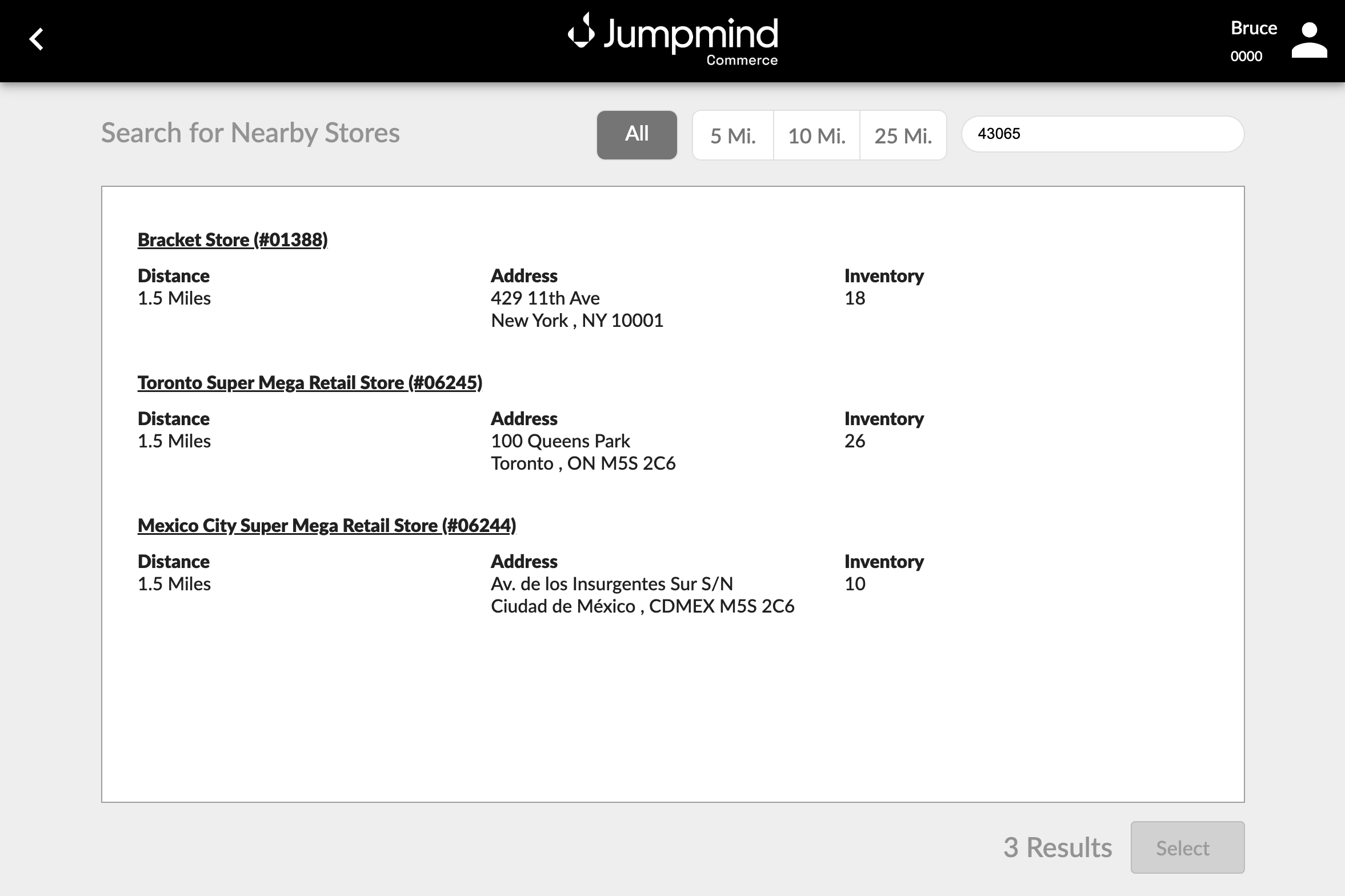

- Selecting a store will then prompt the customer for some basic information, unlike delivery which prompts for all customer information including billing and shipping address. The customer will be saved at this point.
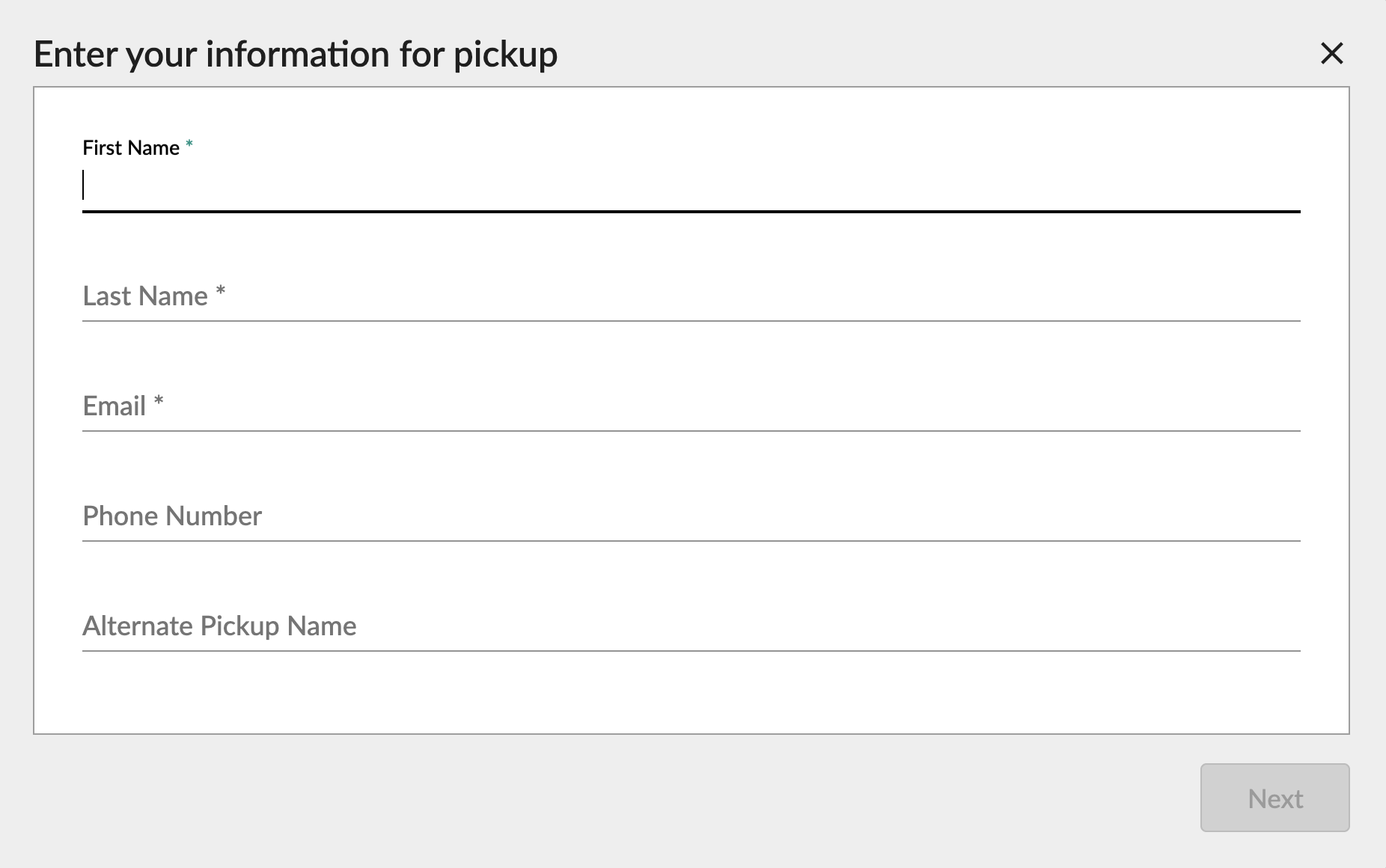

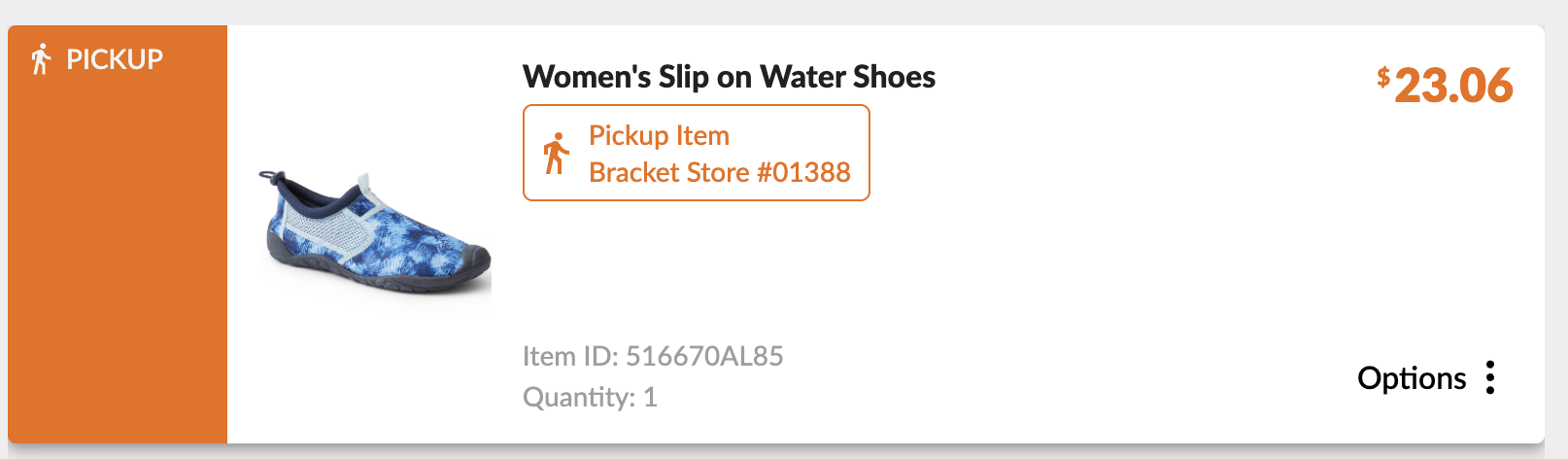
- After entering the customer's information, the item will be added to the cart, with the tax calculated at the intended pickup store's GeoCode

- Proceeding through checkout and paying for the cart will print a normal in-store receipt, along with a receipt for the pickup order, with the order number encoded in the barcode, such that it can be scanned at the pickup store in order to find the order details.
ONLY the items intended for pickup will be displayed on this new receipt, and will not include any other items price/tax.
The order information will be saved off in the
SLS_ORDERtable, during transaction finalization.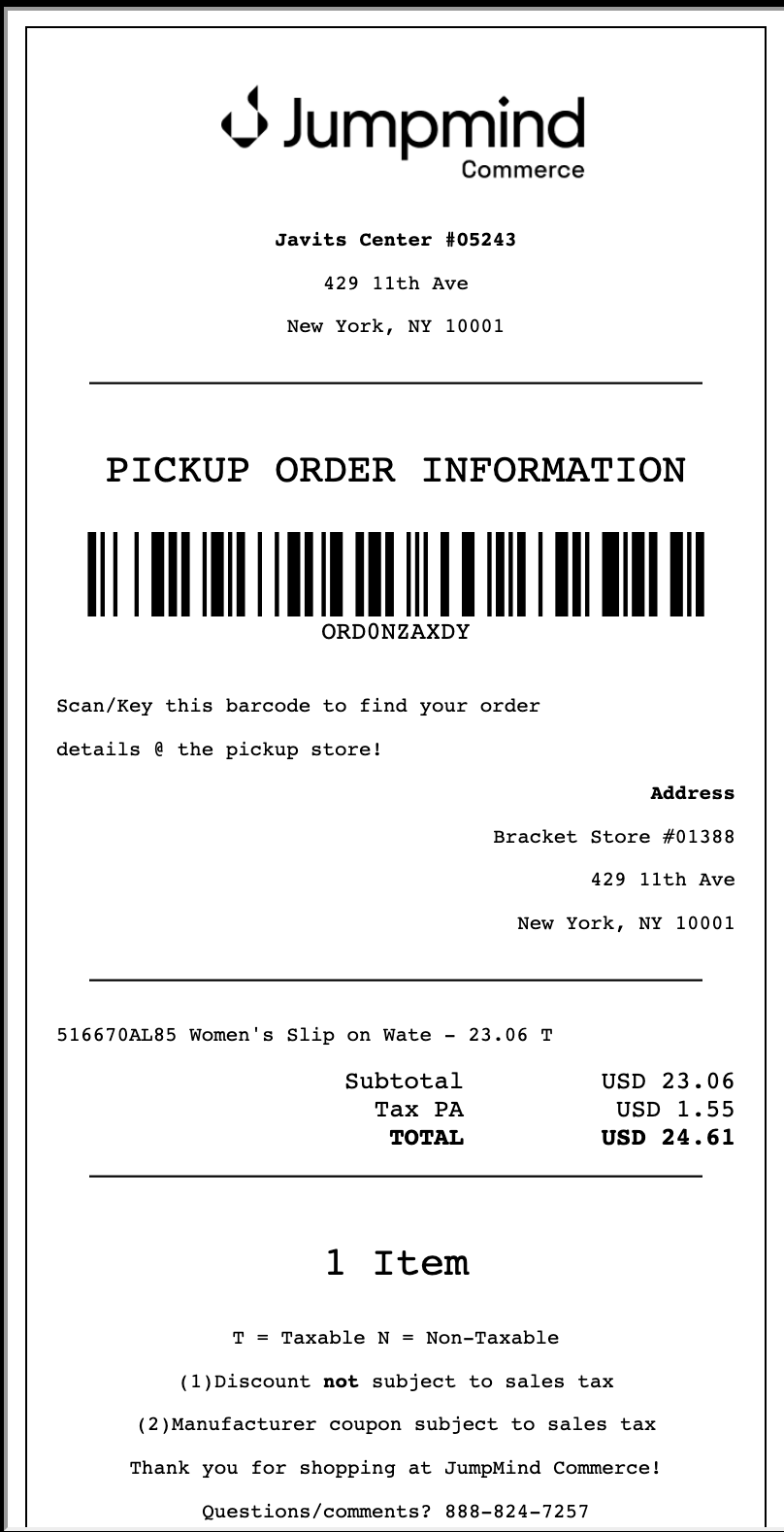

- Now that the order has been placed, the
SLS_ORDERandCUST_CUSTOMERtables will sync-up/down to the pickup location's database, and the pickup store will be able to see that there is a new BISPIS order they must fulfill.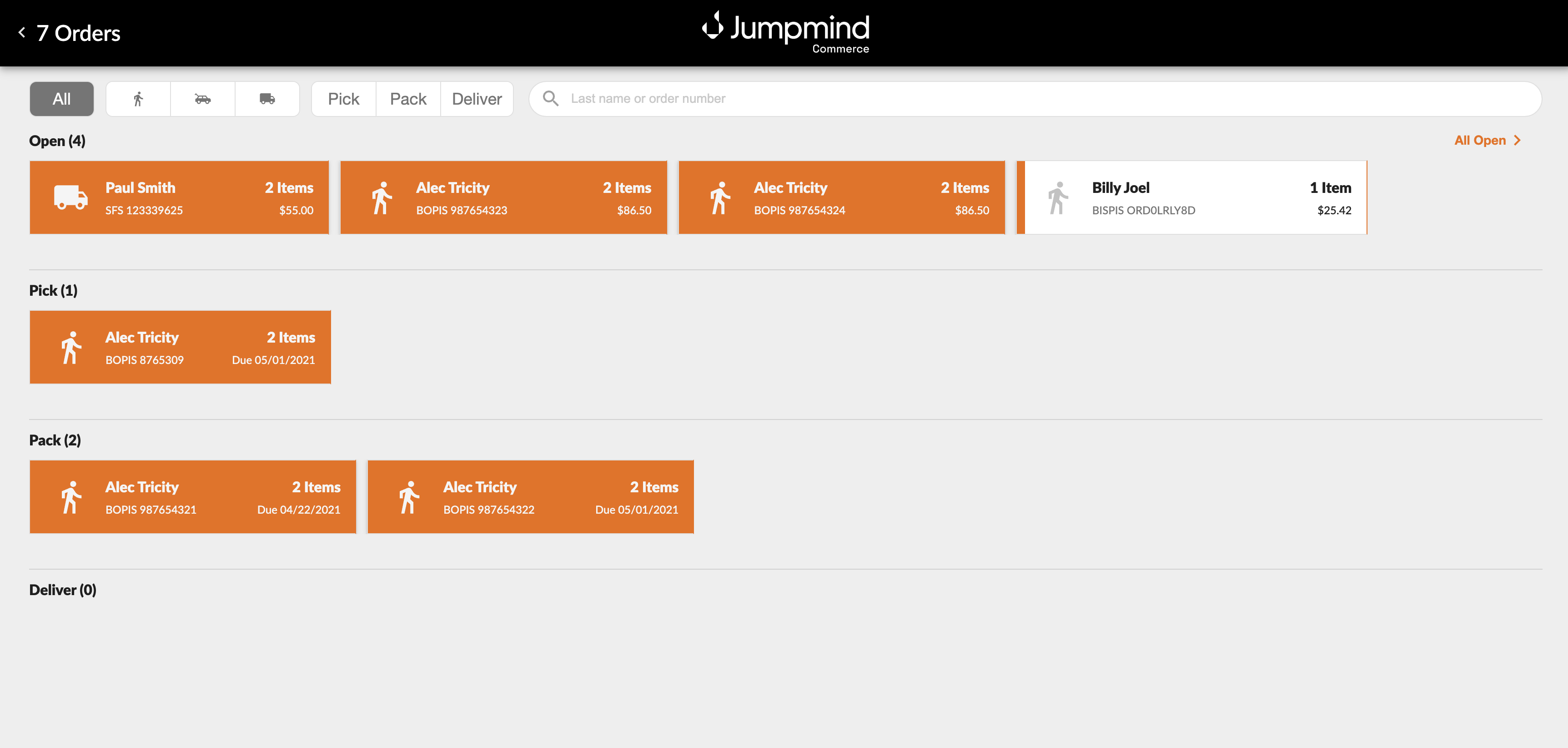

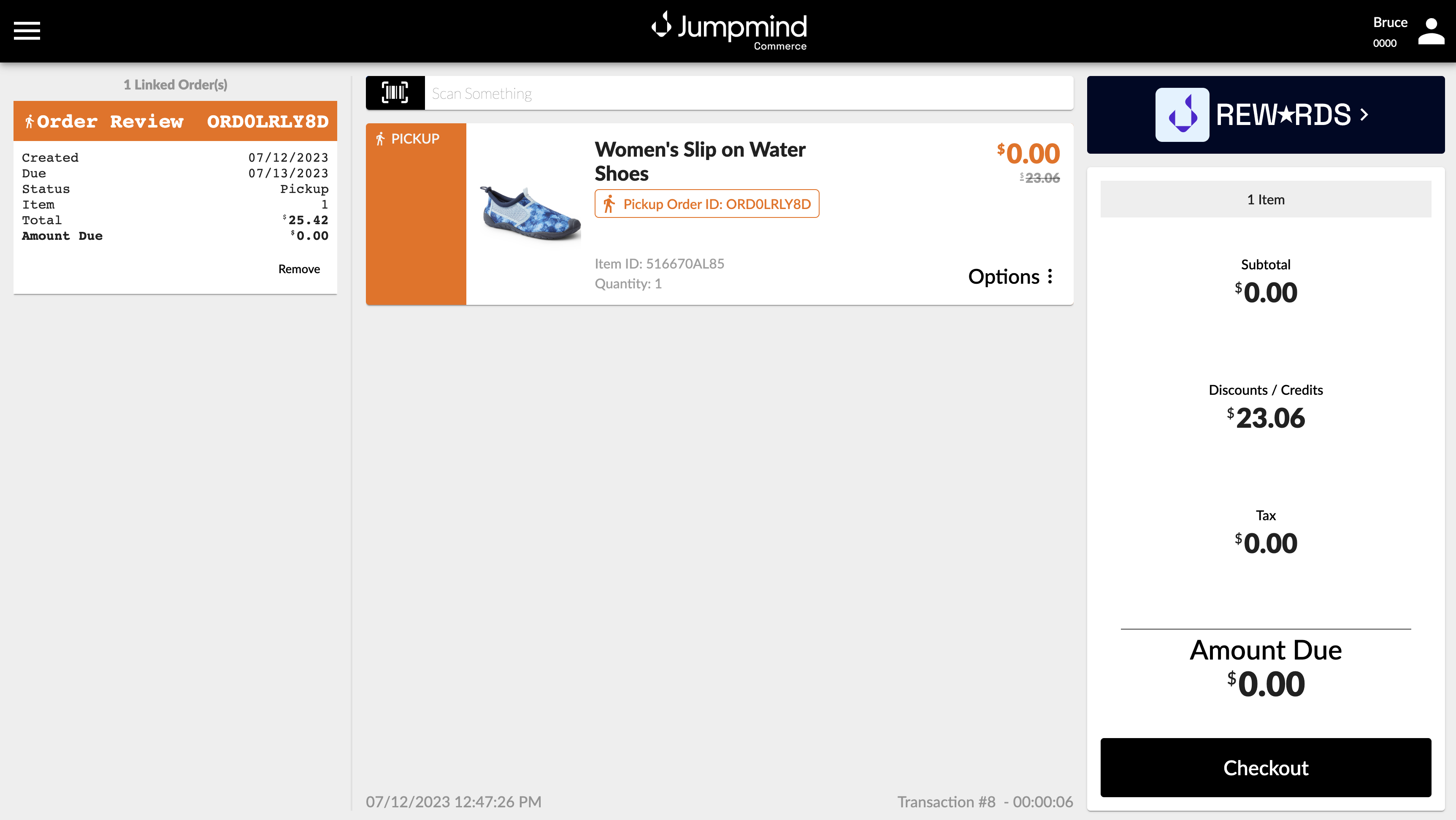
- Proceeding through the same order fulfillment flow as before (minus selecting carrier options & such), the customer will proceed through a $0 checkout, since the amount was already paid in full at the original store

Model Changes
- The largest change is that the
SaleSessionclass has a new member calledPickupOrderTemplate, similar to the renamedDeliveryOrderTemplate, in that it keeps track of all items designated for pickup, along with the pickup location information. - There are new types of line items and order codes:
LineItemTypeCode.BISPISandOrderTypeCode.BISPIS. - Naming convention for delivery orders was changed, originally, the term "order" was thrown around meaning any order type, as it should be, but also delivery-specific wording of stuff simply used "order" as well, so a lot of the delivery-related "order" classes and class members have had "delivery" tacked onto their names.