Donations
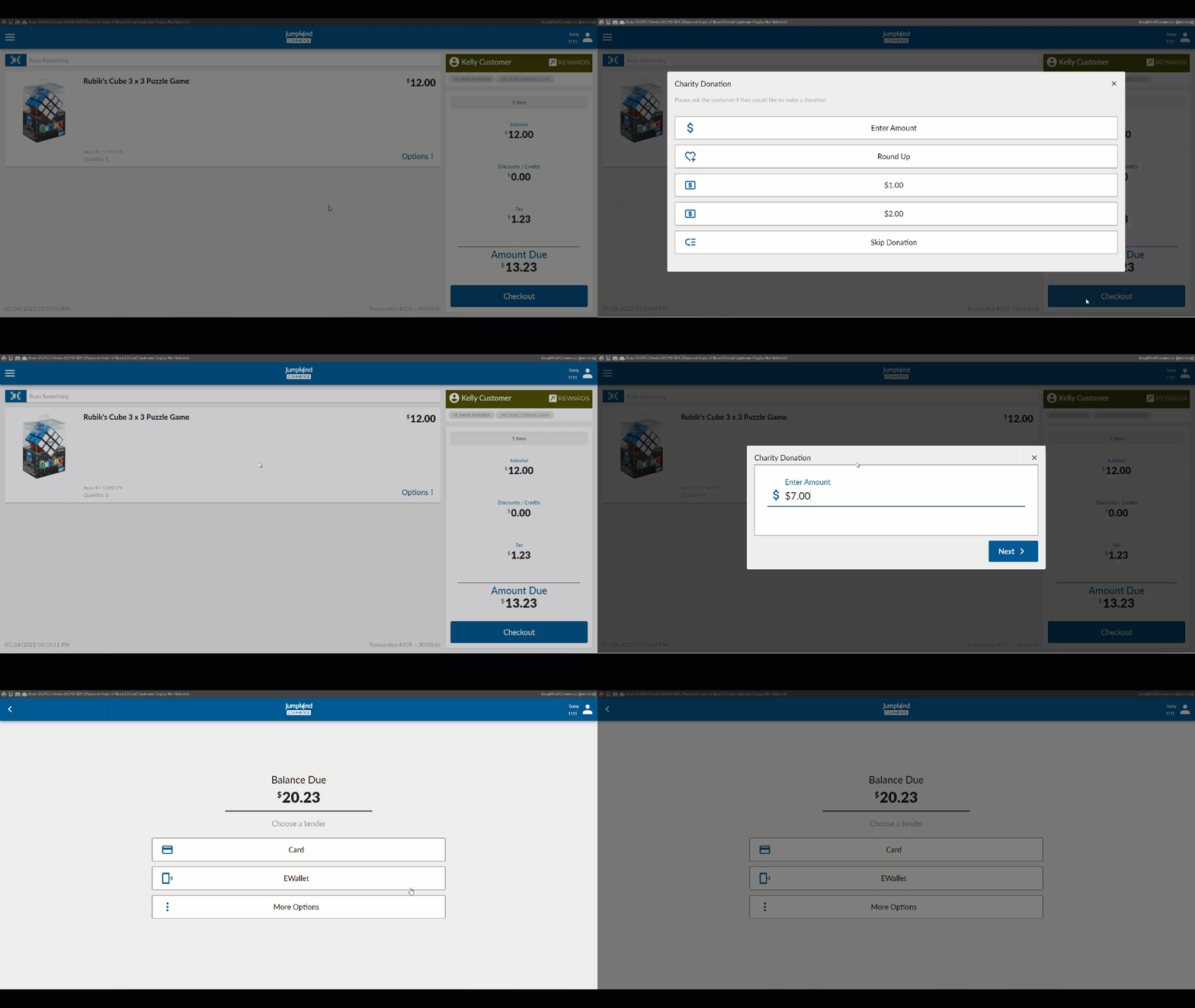
At the completion of transactions, a prompt can be provided that will allow the customer to add a charitable donation to their payment.
Concepts
- Donation prompt can be configured to show right before the tendering stage of the ring out process.
- Options can be added for set amounts.
- Option can be added to add a custom amount.
- Option can be added to round up the total to the next dollar with the change being the donation amount.
- The receipt will reflect the donation for the customer's tax records.
What displays is totally configurable.
Functionality
Configuration Options
| Action | Field | Option |
|---|---|---|
| Is charity enabled | enabled | True/False |
| Enable charity round up | enabled | True/False |
| Enter item ID for charity round up | itemId | ex. 999999992 |
| Enter amount action | action | EnterAmount |
| Enter donation type | donationType | EnterAmount |
| Enter item ID for Enter Amount | itemId | ex. 999999991 |
| Enter display for Enter Amount | displayTitle | Enter Amount |
| Enter icon for Enter Amount | iconType | DollarSign |
| Enter Round Up action | action | RoundUp |
| Enter Round Up donation type | donationType | RoundUp |
| Enter item ID for Round Up | itemId | ex. 999999992 |
| Enter display for Round Up | displayTitle | Round Up |
| Enter icon for Round Up | iconType | Charity |
| Enter One Dollar Action | action | OneDollar |
| Enter AmountProvided donation type | donationType | AmountProvided |
| Enter item ID for Amount Provided | itemId | ex. 999999993 |
| Enter display for Amount Provided | displayTitle | $1.00 |
| Enter icon type to display for cash | iconType | Cash |
| Enter Two Dollars Action | action | TwoDollars |
| Enter AmountProvided donation type | donationType | AmountProvided |
| Enter item ID for Amount Provided | itemId | ex. 999999994 |
| Enter display for Amount Provided | displayTitle | $2.00 |
| Enter icon type to display for cash | iconType | Cash |
| Enter Skip Donation action type | action | SkipDonation |
| Enter Skip Donation donation type | donationType | Skip |
| Enter display for Skip Donation | displayTitle | Skip Donation |
| Enter icon type to display By Pass | iconType | BypassAction |
| Allow Amount Entry | allowAmountEntry | True/False |