Receipts
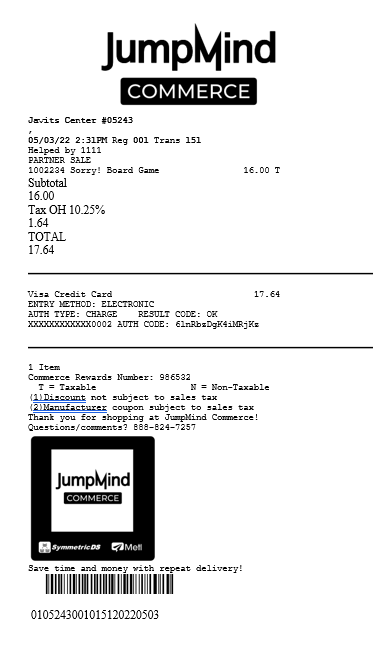
At the conclusion of a transaction the option comes to produce a receipt for the customer which is all configurable.
Logos, layout and messages can all be configured to ensure clarity for the customer as well as meet any requirements surrounding tax and credit/debit regulations.
Concepts
- Jumpmind Commerce supports the production and delivery of email receipts.
- If email address is not known, prompt will allow entry at checkout.
- Multi-language receipts are supported.
- Receipt will clearly display tax(es) broken out by jurisdiction and amounts.
- Receipt editor allows the personalization of receipts with messages, policies, loyalty points, website address, etc.
- Receipts can be reprinted on demand from store or HQ and designate that it is a copy.
- Receipts can also include customer details - address, phone, etc.
- Reason codes for returns, discounts, etc., can be included on receipt.
- Gift receipts can be produced at checkout for the whole transaction, or just a specific item.
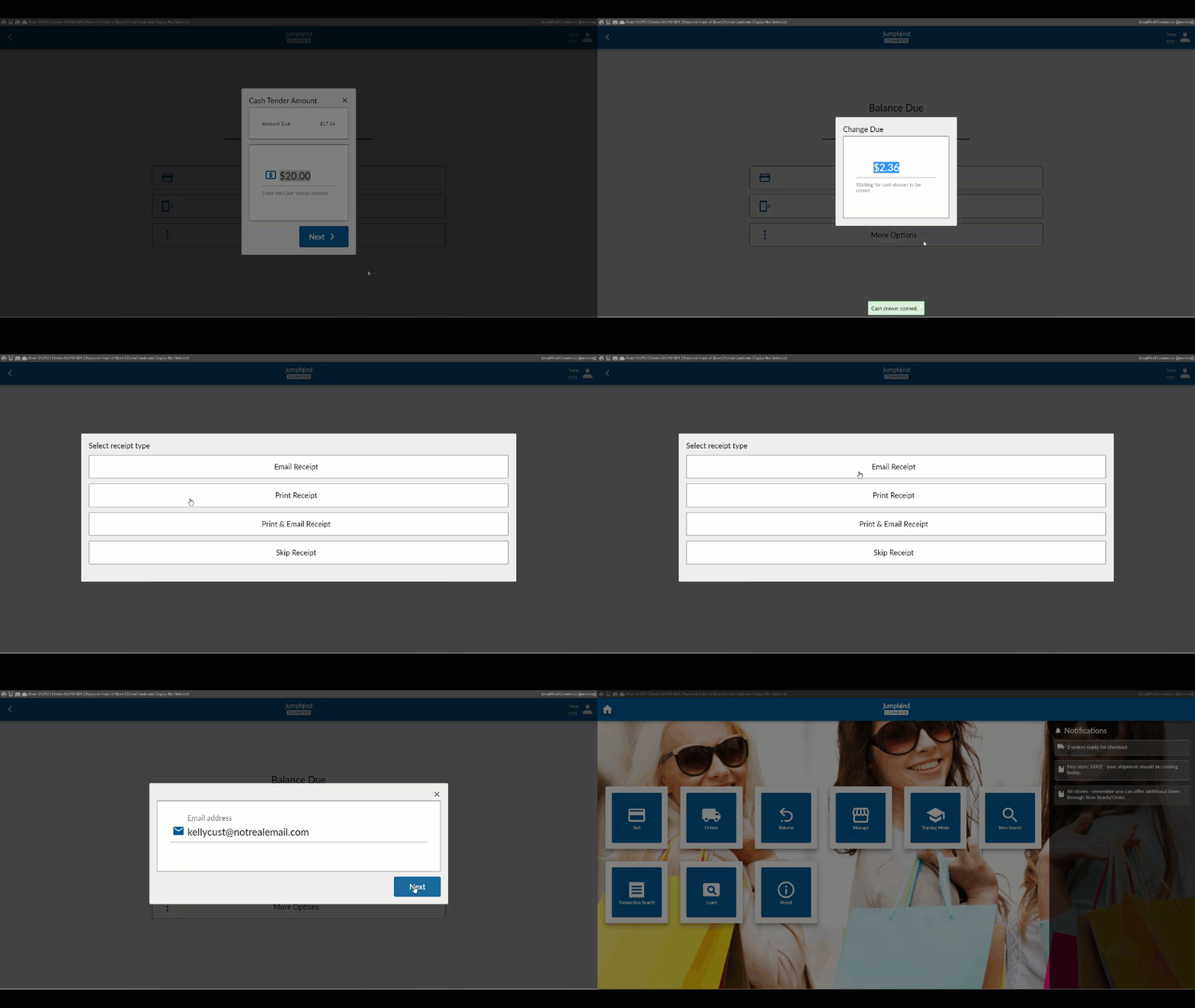
Receipt Options at Checkout
Jumpmind Commerce presents the cashier, at the final stage of checkout, with the receipt options of email, print, print & email or skip:
Document Designer
This web based tool will allow you to configure your receipts as desired adding your logo, policies and messages, etc. Reports can also be modified with this tool.
The Document Designer also allows the user to run reports or view any receipt by entering the date and device credentials.
INSERT IMAGES OF DESIGNER HERE
Configuration Option
| Action | Field | Option |
|---|---|---|
| Email: user | user | ex. noreply.nucommerce@gmail.com |
| Email: password | password | ex. znsfcowhbsyuxaps |
| Email: host name | hostname | ex. smtp.gmail.com |
| Email: Max retry count | maxRetryCount | ex. 5 |
| Is item gift receipt visible | isVisible | True/False |
| Is transaction gift receipt visible | isVisible | True/False |
| Is gift receipt auto apply | autoApply | True/False |
| Transaction cancel receipt enabled | enabled | True/False |
| Transaction suspend receipt enabled | enabled | True/False |
| Gift receipt option enabled | isGiftEnabled | True/False |
| Email: Subject | emailSubject | ex.Thanks for shopping Jumpmind Commerce! |
| Barcode type enabled | barcodeTypeEnabled | True/False |
| Enter barcode type length | barcodeTypeLength | ex. 2 |
| Barcode type mapping | barcodeTypeMapping | ex. 01 |
| Enter business unit ID | businessUnitId | ex. 5 |
| Enter workstation ID | workstationId | ex. 3 |
| Enter sequence number | sequenceNumber | ex. 4 |
| Enter business date | businessDate | ex. 8 |