Suspend / Resume
At any stage of a transaction, Commerce can suspend the transaction for reasons such as the customer needs to go after another item, a forgotten wallet, or due to store layout, may start at one register and complete at another based on what the customer is wishing to purchase. This frees up the register so the next customer may be rung out without delay.
When ready, the suspended transaction can then be retrieved and rung out at anytime on any active register in the store.
Concepts
- Commerce can suspend a transaction anytime before it's completed.
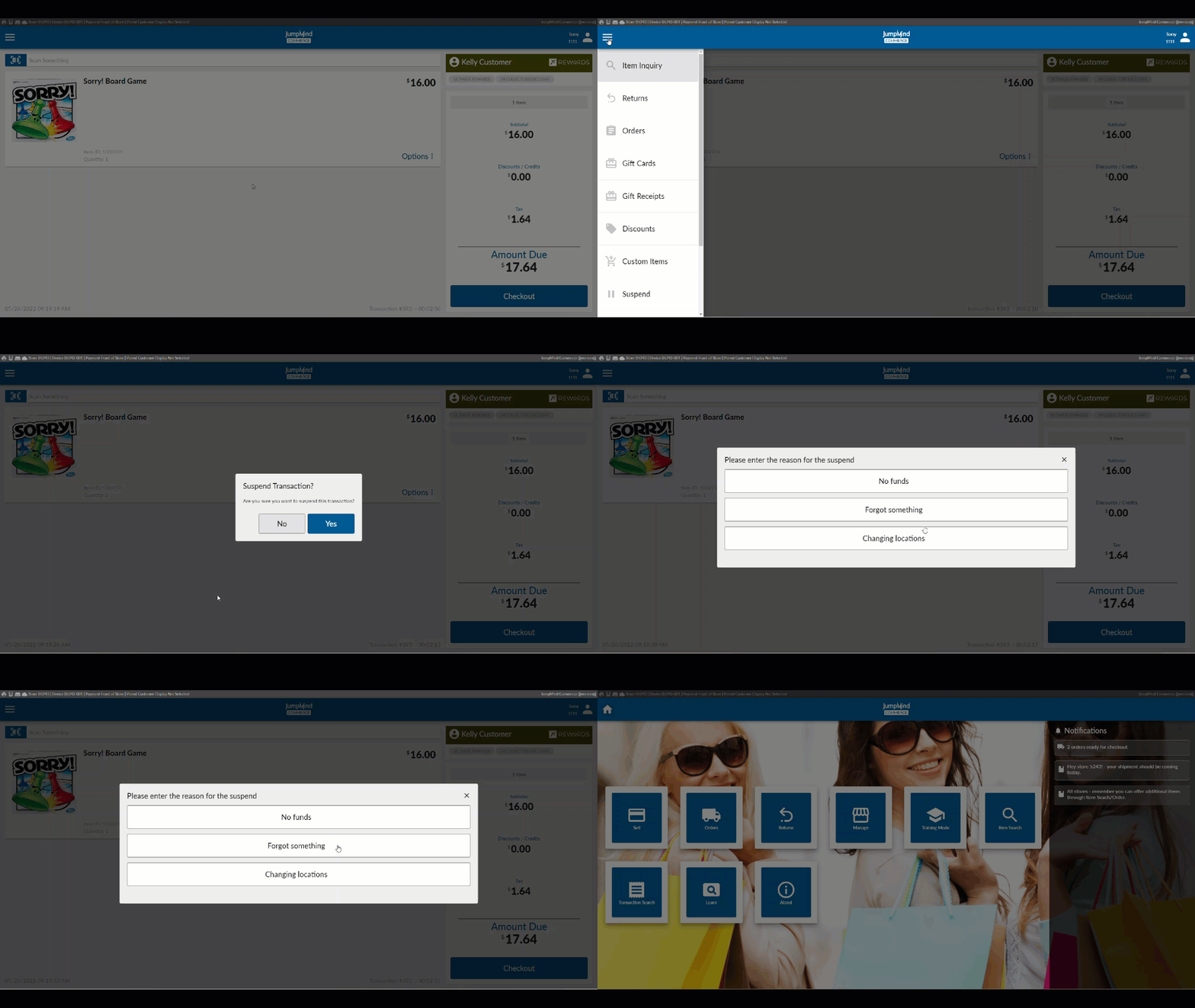
- Reason codes can be added for the suspension reasons.
- A transaction can also be suspended if the cashier locks the system during a transaction.
- A transaction will be resumed if it was locked by the cashier upon signing back in.
- The suspend / resume process also works with mobile devices in the store.
- The suspended transaction can be resumed at any other register in the store.
- Any suspended transaction, that is not rung out, will result in it being designated as an Orphaned transaction at the end of the day.
Functionality
Suspend Action
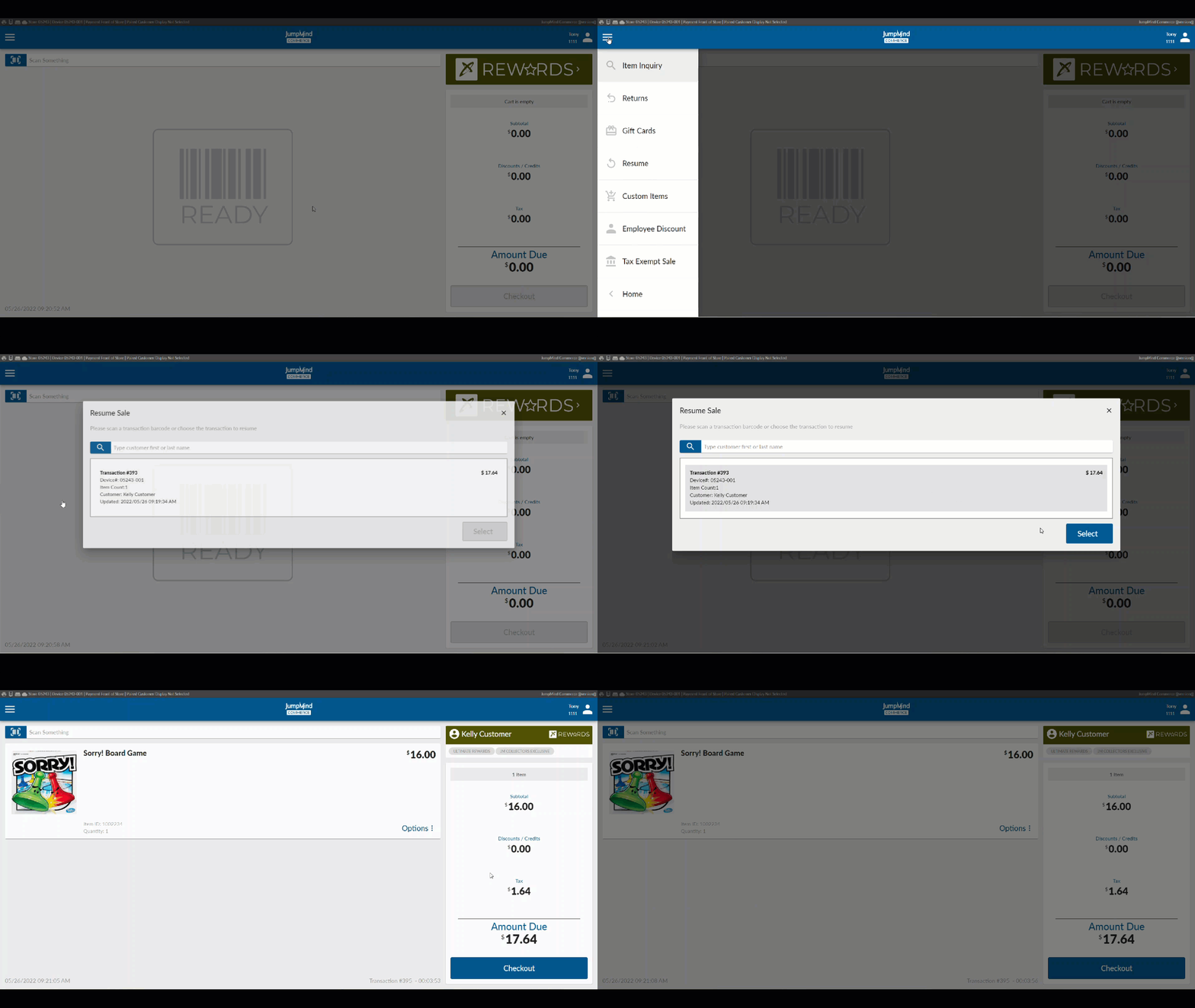
Resume Action
Once selected, the suspended transaction can then be rung out picked up with where it was left off.
Configuration Options
| Action | Field | Option |
|---|---|---|
| Can store be closed with suspended transactions | isTransactionSuspensionRestrictionEnabled | True/False |
| Can suspended transactions be auto cancelled during store closing | autoCancelSuspendedTrans | True/False |
| Set action when attempting to close store with suspended transactions | closeStoreSuspendedTransAction | REVIEW_TRANS |
| Config for checking dor attached payment device when removing gift card from trans | showPaymentDeviceValidation | True/False |
| Transaction suspend option is visible | isVisible | True/False |
| Remove promos on transaction suspend | removeLoyaltyPromosOnSuspend | True/False |
| Suspend receipt enabled | enabled | True/False |
| Sort order for suspended transactions | toResumeSortOrderByDate | ASCENDING/DESCENDING |
| Suspended receipt selected | documentDefinition | suspended-transaction-receipt.yml |
| When user logs off of an active transaction the status of the trans should be saved as | orphanSaleAction | ORPHANED, SUSPENDED or CANCELLED |
| Enter resume matched by pattern | pattern | ex. \d{[}20} |
| Enter resume matched by minimum length | minLength | ex. 20 |
| Enter resume matched by maximum length | maxLength | ex. 20 |
| Action when locked screen is broken by manager | breakLockAction | RESUME / LOGOUT |
| CTX_Button to add the Suspend & Resume options | ||
| CTX_Reason_Codes to add desired Suspend reason codes | allowOnReturnTransaction | True/False |