Item-Group Tax Exempt Transaction
This feature can be configured to allow a transaction to be toggled as tax exempt for qualifying items. Applying this tax exemption to a transaction requires entering customer information to be associated with the transaction.
When enabled on a transaction, Commerce will prompt an item selection dialog during the checkout process. Any item(s) toggled/selected on this screen will have the configured tax rule exempted from the item's tax calculations.
Concepts
- A transaction can have specific sales taxes removed from eligible items.
- Commerce can capture customer information to be associated with the tax exemption (not requiring a tax exempt status).
Screen
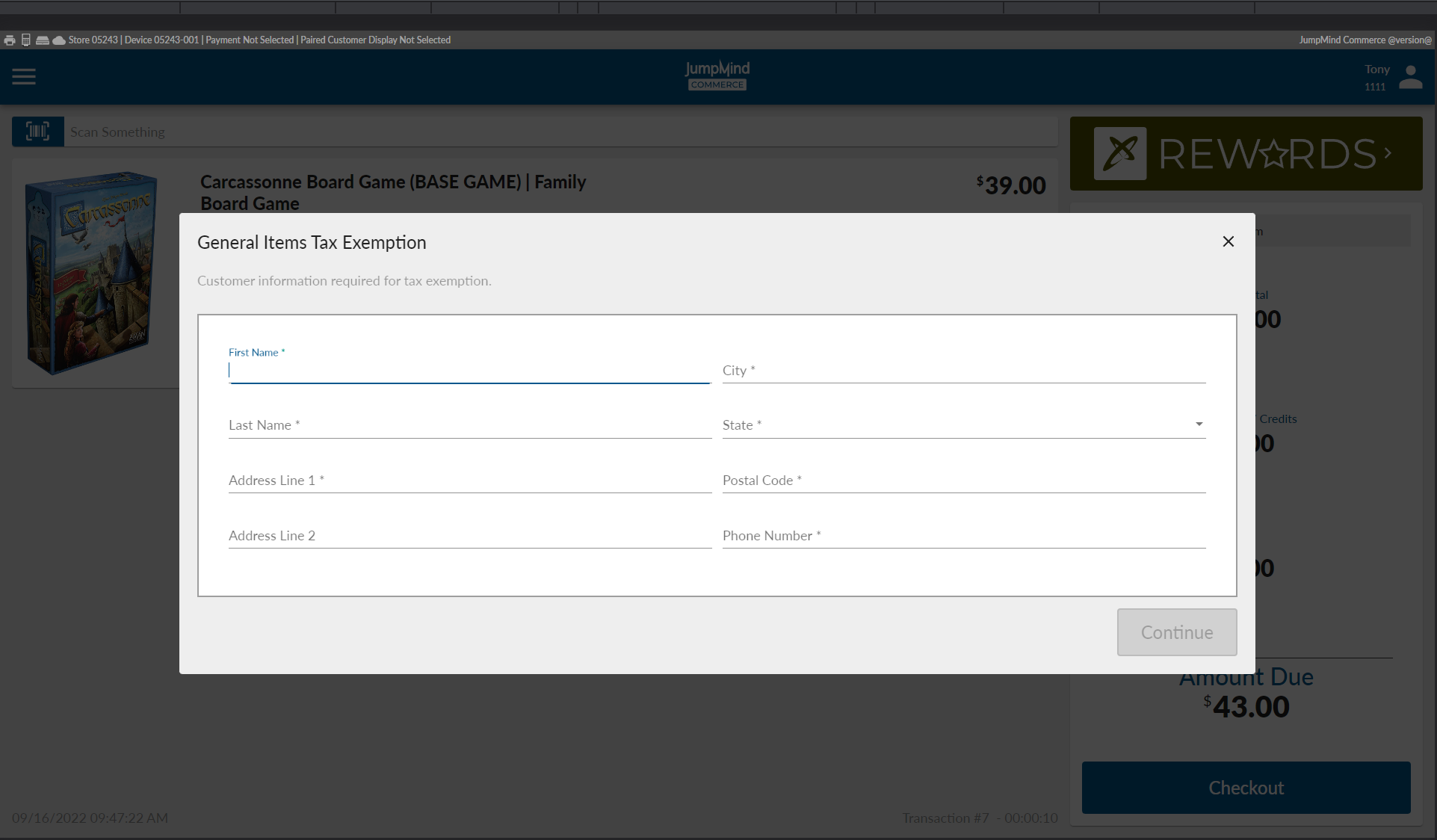
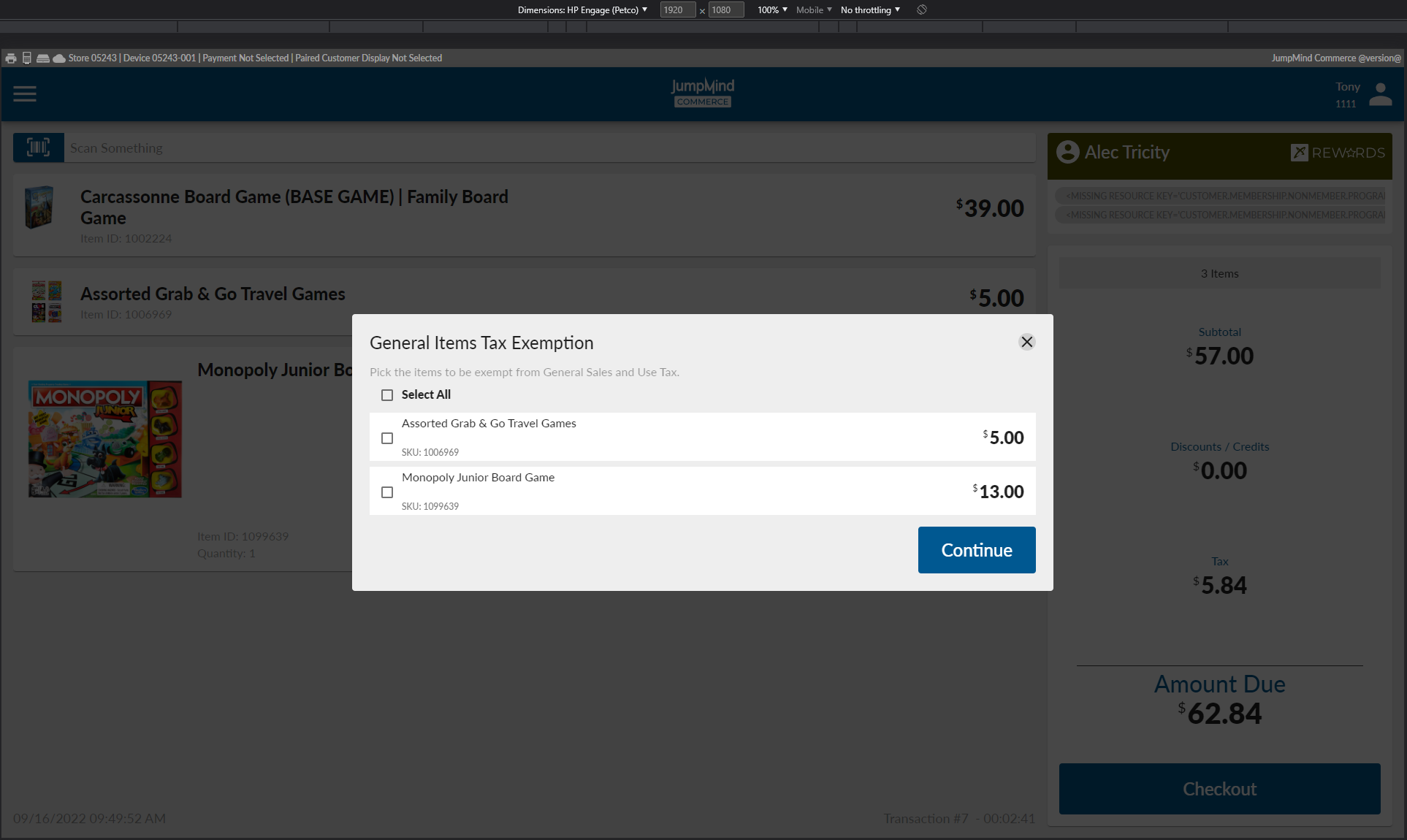
These are shots of the default out-of-the-box configuration. This default configuration is for store 05243 and for items priced under $15.
The Add Customer screen. This form will be pre-populated with the Linked Customer's info if a customer is linked to the transaction.
The item selection screen during checkout.
Configuration Details
These Group Item Tax Exemption configurations enable the feature at the transaction level, but applies exemptions at the item level. The requirement of the configuration is to be able to "identify which individual eligible items can be toggled as tax exempt for specific tax rules/types". The following YML configuration and related CTX/I18n configs are necessary to enable the feature.
There can be any number of group-item-tax-exemption configurations, so the base config group-item-tax-exemptions key is a list of values. The following YML is in the out-of-the-box configuration. The config keys and their effects are:
openpos:
  tax:
    group-item-tax-exemptions:
      - taxExemptId: 40
        configKeyPart: generalItemsTaxExemption
        displayedItemOptionValue: brand
        itemEligibilityRules:
          - taxGroupIds: 145
            permittedAuthorities: 5107,3043,2930
            exemptedTaxTypes: General Sales and Use Tax
            qualificationStrategies: MaxPriceExemptionQualificationStrategy

    qualificationStrategies:
      generalItemsTaxExemption:
        maxActualItemPrice: 15.00
Configuration Property Details
Note: Any reference to a value in curly braces indicates value interpolation; none of the config keys or value expect curly braces.
openpos.tax.group-item-tax-exemptions: A list of the following configuration structures.
taxExemptId:Tax Exempt sales are driven by a REASON CODE (CTX_REASON_CODE) value; these group item tax exemptions follow the same pattern. In this case, we have a CTX_REASON_CODE with an ID of 40 representing this exemption. When the transaction has this ID on it, the new checkout flow state will recognize this association and show the item selection prompt based on the rest of the config.
configKeyPart:To keep this configurable to different stores/regions/etc and to support i18n, this configKeyPart value will be used when doing any kind of CTX or I18N lookup related to this feature and the associated taxExemptId qualification. For example; when looking for the add customer form, it will look for a groupItemTaxExemptionCustomer.{configKeyPart} form and related form fields (e.g. in this configuration, groupItemTaxExemptionCustomer.generalItemsTaxExemption).
displayedItemOptionValue:The item selection screen displays basic item info including the item name/description, the price, the SKU, and then this additional contextual value. The screen will look in the item's augments for the key specified in this field. If the property is not found on the item, nothing is shown.
itemEligibilityRules:This is another list of related data groupings representing what items are eligible for tax exemption. Each item in the transaction is filtered for selection eligibility using the eligibility rules here as OR logic - any item that passes any of its eligibility rules will be eligible for exemption selection.
taxGroupIds:Identifies which Tax Group IDs the exemption applies to; an item's TaxGroupId must be one of these IDs to be eligible for exemption selection.
permittedAuthorities:(Optional) Identifies which tax authorities the tax may be exempted from. The tax data identifying which tax rates/rules are applied to which item(s) are also associated with a tax authority. In order to identify which tax types we can toggle for exemption on a selected item, we have to know which authority to exempt the item from to avoid unintentionally "over-exempting" items in case of tax rule overlays (e.g. if the same tax applies to two authorities but we only want to exempt from one of those authorities).
exemptedTaxTypes:Identifies which taxes are exempted during tax calculation.
qualificationStrategies:(Optional) Specifies which QualificationStrategy implementations to run, allowing the creation of custom eligibility rules. All specified strategies must return true for the item to be eligible. Config parameters for QualificationStrategies should respect the configKeyPart config value pattern specified above to allow for granular CTX config.
openpos.tax.qualificationStrategies: The root of parameters for each of the named exemption programs derived from each configKeyPart.
{configKeyPart}:Identifies which matching group-item-tax-exemptions configured list element (comparing against the configKeyPart) these parameters should apply to.
{fieldValue}:Each qualification strategy will have its own set of config-driven params. In the case of the MaxPriceExemptionQualificationStrategy, it looks for a maxActualItemPrice config value under the configPartKey provided to it during checkout exemption checks (in this configurations case, "generalItemsTaxExemption").
Additional Data Setup & Configurations
There are a handful of other DB inserts and properties required to support the out-of-box exemption feature. Those additions were:
sale.properties: i18n values shown in the POS for generalItemsTaxExemption item selection screen.
customer.properties: i18n values shown in the POS on the generalItemsTaxExemption add customer screen.
CTX_BUTTON: A DB record to trigger the tax exemption feature; in this case, a button in the left-nav menu during a sale.
reasoncode.properties: i18n values for the CTX_BUTTON record.
CTX_FORM & CTX_FORM_FIELD: DB records for the add customer portion of the feature (FormID and FormGroupID; same values and both must be equal to "groupItemTaxExemptionCustomer.{configKeyPart}")