Item Inquiry
Item inquiry is a tool that allows the cashier to visually search for or do a hand key search words or item numbers to look up a specific item.
Item Inquiry screen
Inquiring an item is the process of searching for an item manually as opposed to scanning it.
The Search Bar allows the user to search for an item by name or item number.
Item groups break down the items for sale by category group.
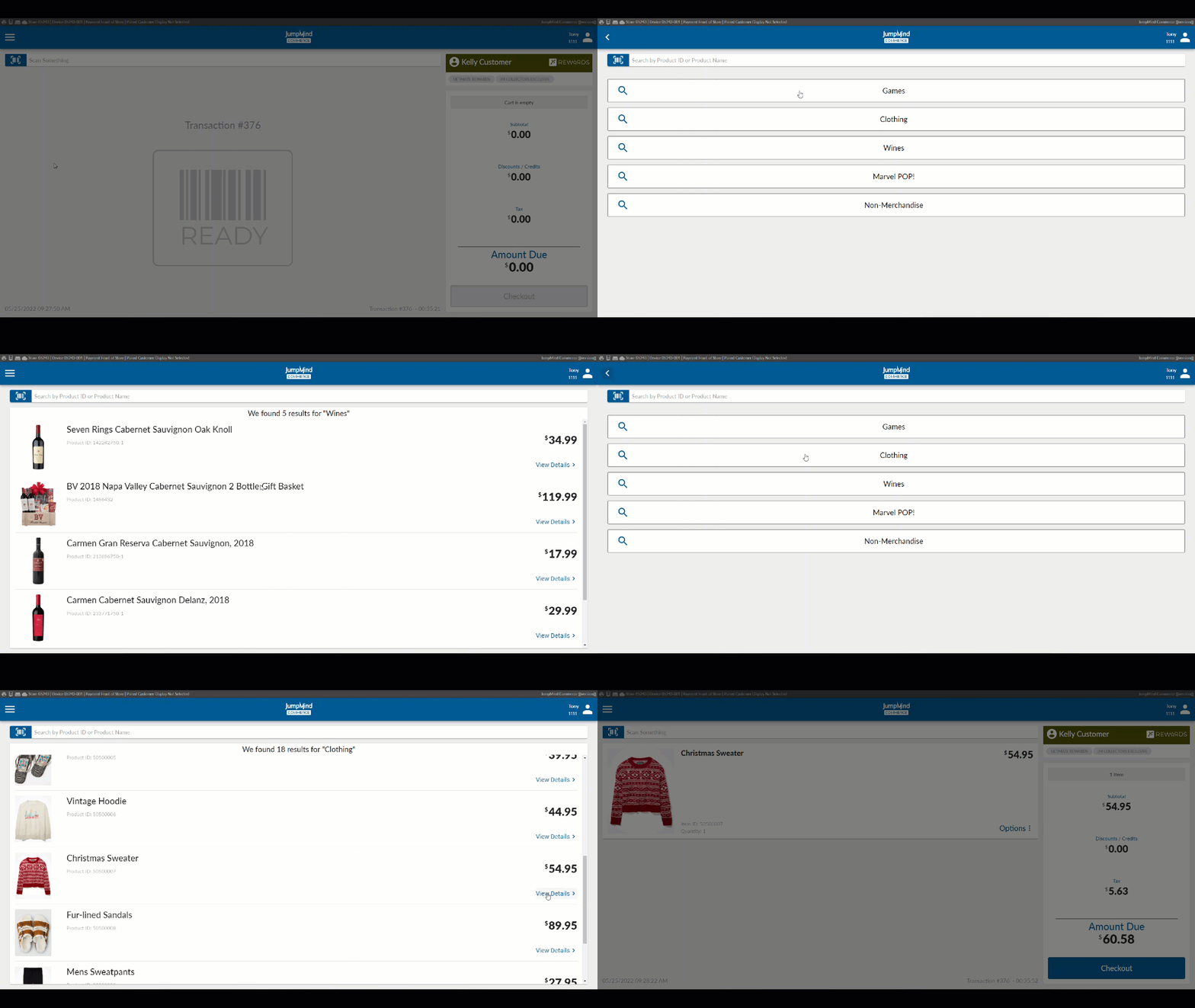
View Details
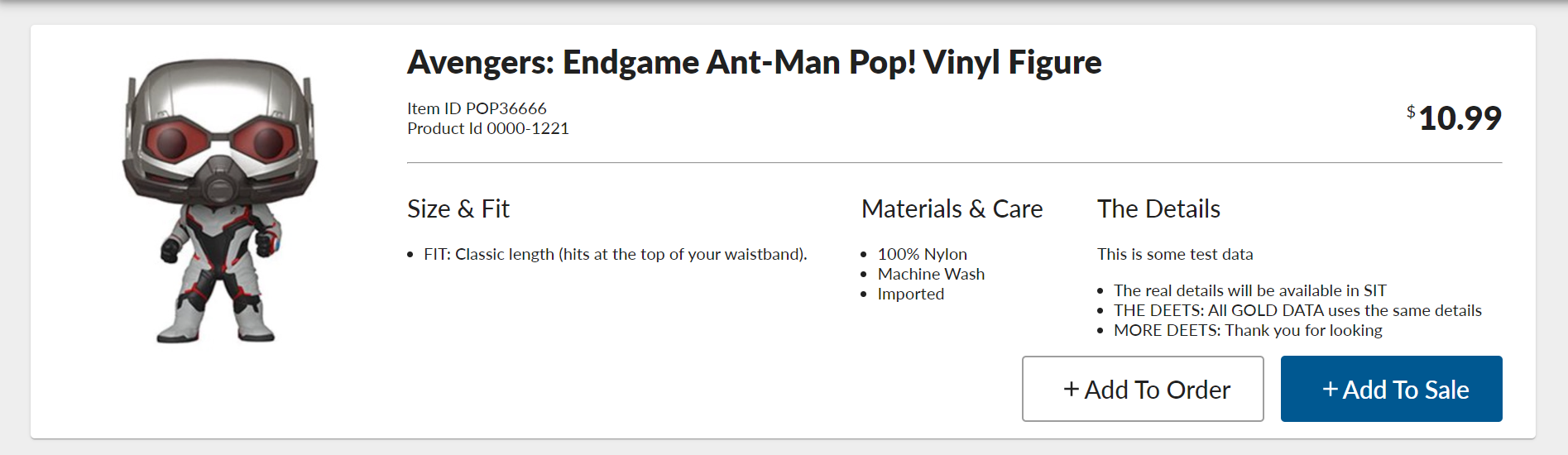 View details gives essential information on the line item. These details include the item ID, product name, selling price,
and the options to 'add to sale' and 'add to order'. If the item is eligible for promotion, that would be detailed.
View details gives essential information on the line item. These details include the item ID, product name, selling price,
and the options to 'add to sale' and 'add to order'. If the item is eligible for promotion, that would be detailed.
Add to Sale
Individual line items have an 'add to sale' functionality which, when selected, adds the line item to the transaction.
Add to Order
Add to order allows for an order to be placed within store, this allows for an out-of-stock item to stll be purchased.
| Action | Field | Option |
|---|---|---|
| Enter in item entry method | entryMethod | SCANNER |
| Entry in item entry sub method | entrySubMethod | UPC_A |
| Entry in item min length | minLength | ex. 12 |
| Entry in item entry max length | maxLength | ex. 12 |