Gift Cards
Gift cards are electronic backed cards entitling the recipient to receive goods or services of a specified value from the issuer.
Concepts
- Jumpmind Commerce supports interfaces to 3rd party gift card processors.
- All gift card status, balances, expiration dates are maintained by the gift card processor.
- Gift cards can be scanned, swiped and manually entered.
- Gift cards with 16 digits are supported.
- Gift cards can be made the mandatory refund tender for returns without receipts.
Functionality
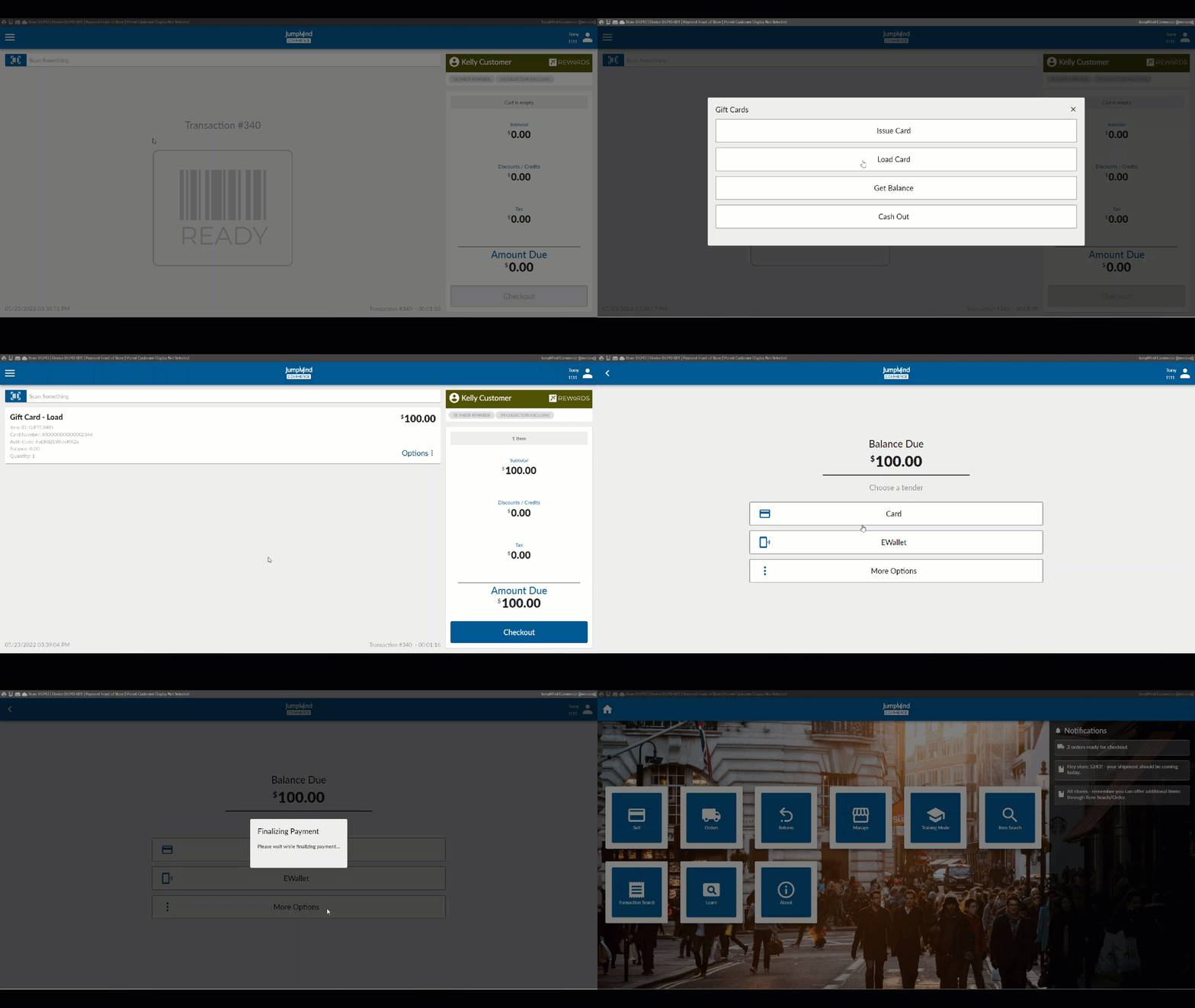
The gift card menu allows the following actions:
Configuration Options
| Action | Field | Option |
|---|---|---|
| Gift card tender enabled | enabled | True/False |
| Adapter override | adapterOverride | PAYMENT_DEVICE_GIFT_CARD_ADAPTER |
| Customer can enter custom card amount | manualEntryAllowed | True/False |
| Minimum manual entry amount | minManualEntryAmount | ex. 5 |
| Maximum manual entry amount | maxManualEntryAmount | ex. 1000 |
| Allow manual keying of gift card number | allowHandKeyOfGiftCardNumber | True/False |
| Allow issuing gift cards on a return transaction | allowOnReturnTransaction | True/False |
| Load - Enter item ID | itemID | GIFTCARD |
| Load - Enable this option | enabled | True/False |
| Load - Scan Enabled | ScanEnabled | True/False |
| Cash Out - Enter Item ID | itemID | GIFCARD |
| Cash Out - Max amount threshold | maxAmountThreshold | ex. 10.00 |
| Cash Out - Enable this option | enabled | True/False |
| Cash Out - Force tendering after cashing out GC | forceTendering | True/False |
| Cash Out - Scan Enabled | scanEnabled | True/False |
| Balance - Enable this option | enabled | True/False |
| Balance - Show card number masked | enabled | True/False |
| Balance - Scan Enabled | scanEnabled | True/False |
| Pay - Scan Enabled | scanEnabled | True/False |
| Pay - Enter card brand code | cardBrand | ex.svs |
| Pay - Enter card code | cardCode | CODE128 |
| Pay - Enter the card length when scanned | cardLengthWhenScanned | ex. 23 |
| Pay - Enter the card length when manually keyed | cardLengthWhenKeyed | ex. 19 |
| Pay - Scan validation strategy | scanValidationStrategy | DEFAULT_SCAN_VALIDATION_STRATEGY |
| Config for checking for attached payment device | showPaymentDeviceValidation | True/False |
| Enter barcode type | barcodeType | CODE128 |
| Barcode min length | barcodeMinLength | ex. 19 |
| Barcode max length | barcodeMaxLength | ex. 23 |