Discounts / Coupons
Discounts
Discounts to items or transactions can be configured for percent or a flat amount. These can be tied to loyalty,memberships, sale conditions met, etc. and can also be set for a specific period of time. In the point of sale, these discounts can be applied to a specific item or to a transaction as a whole. These can be automatically applied via a promotion or manually linked.
Store Coupons
Store coupons are specific discounts that can be applied when presented by the customer. These can be for specific items or the whole transaction.
Pre/Post Tax
Settings allow store and manufacturer coupons to be set for pre or post tax calculation. Meaning, should the sales tax be calculated on the original sales price? Or, should the tax be calculated after the coupon discount is applied?
Discounts / Coupons Applied
Automatic
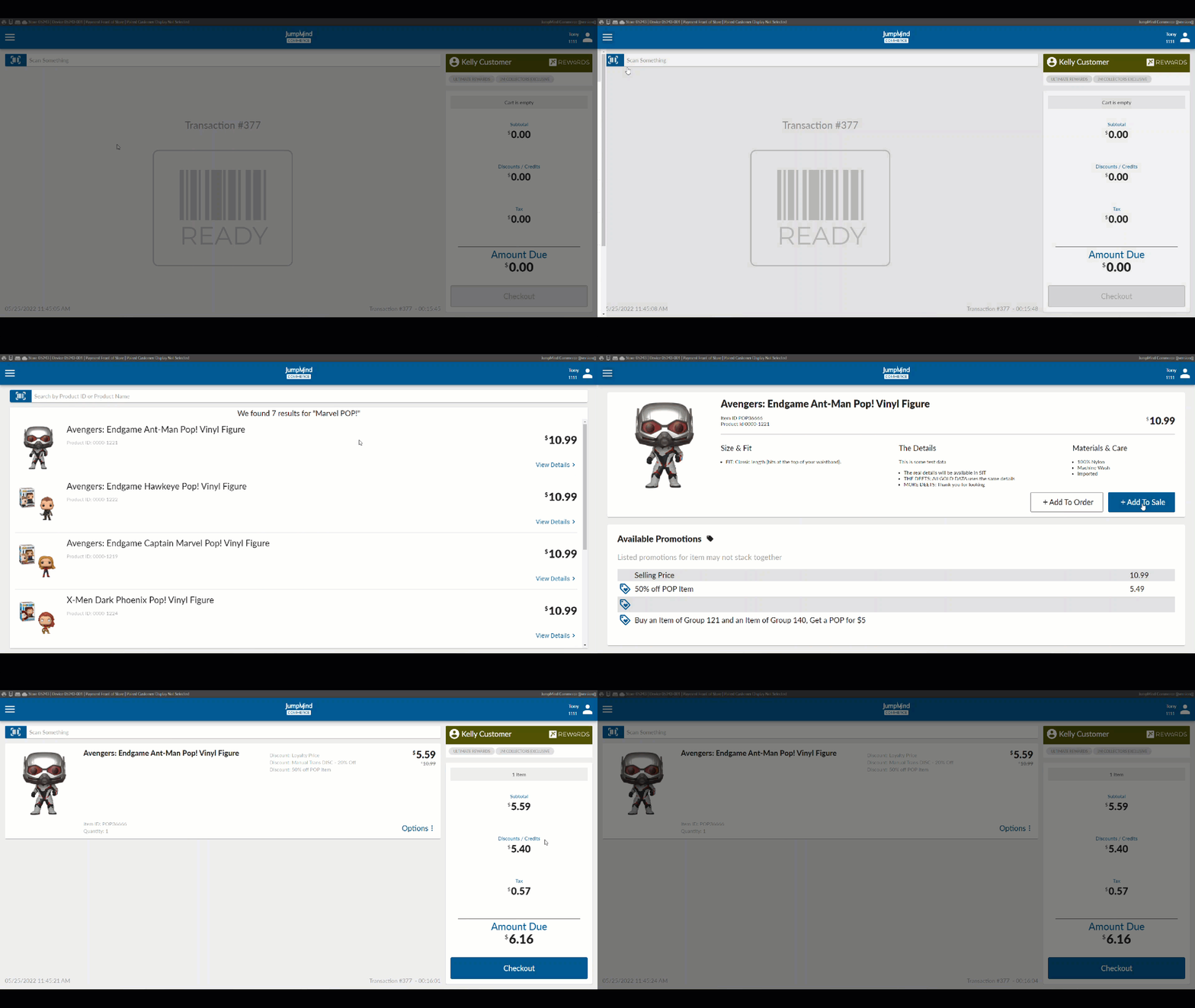
Membership in a loyalty program, or running promotion will automatically apply a discount to an item as soon as it is added to a transaction.
Manual
Single item discount
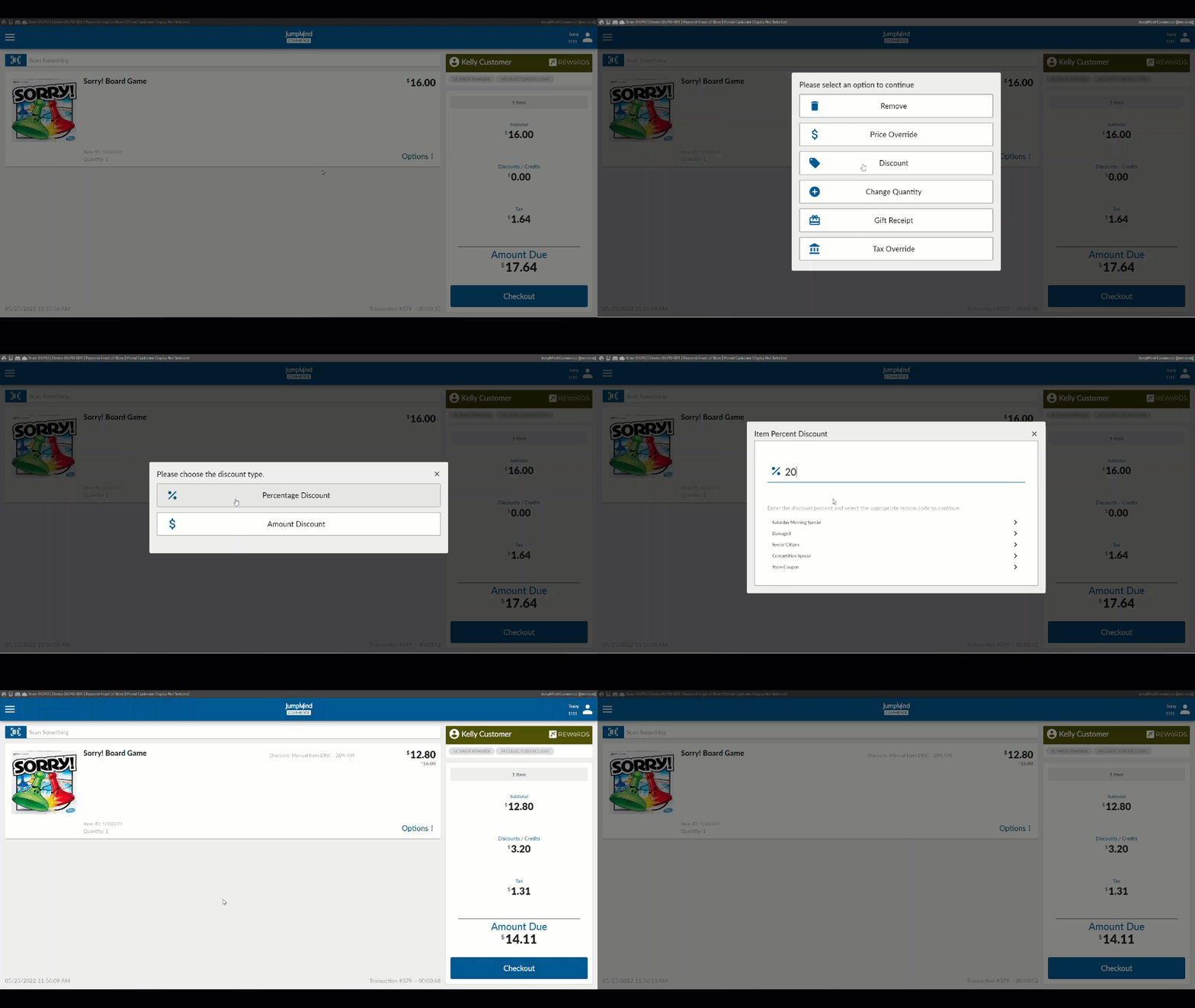
Manual single item discounts can be applied to an item by selecting the Line Item Option for Discounts. The discount options are for Amount or Percentage. A reason code (configurable) will be prompted.
Transaction discount
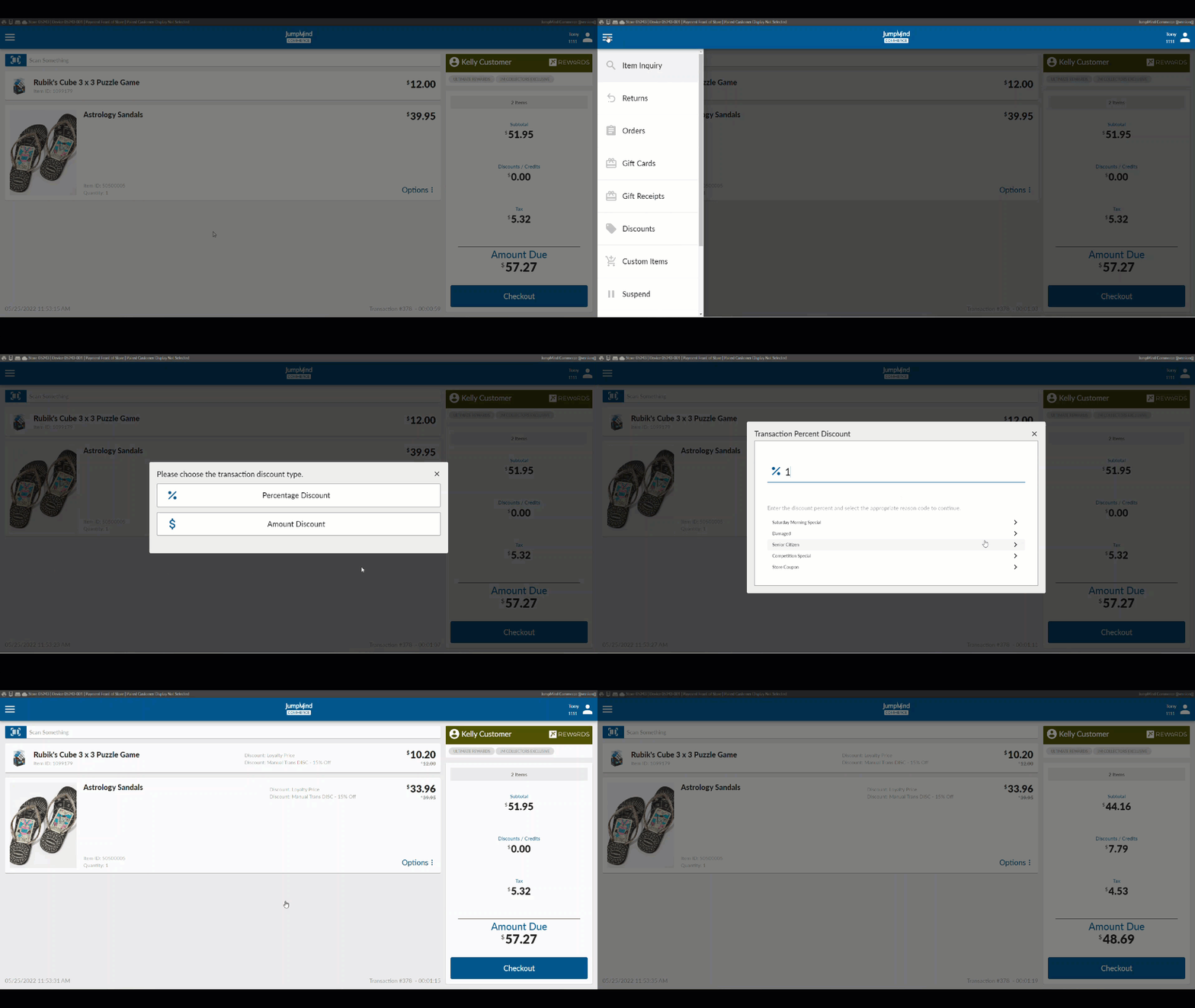
Manual discounts can be applied to the entire transaction by selecting Discounts from the Transaction menu. The options are for Amount or Percentage. A reason code (configurable) will be prompted.
Employee Discount
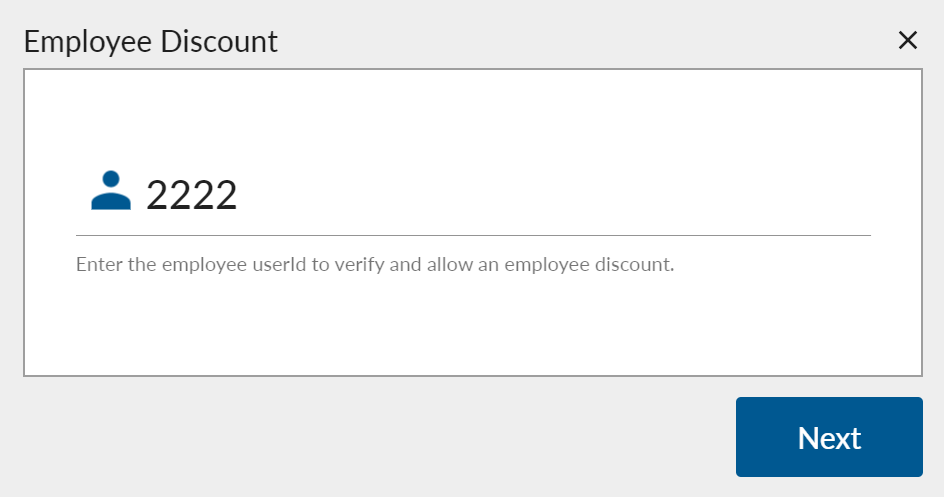
An employee discount can be applied from the Transaction menu with a prompt for the employee's user ID. Security can\ be required so that an employee cannot give themselves the discount.
GS1 (Manufacturer Coupons)
GS1 is a unique barcode configuration that allows for a scan to activate a pre-added change/sale to a tranaction. The functionality and versatility of GS1 coupons are fully supported by the Jumpmind Commerce systems. GS1 coupons are readily available to be deciphered and added to a transaction, without and coupon or discount preloding required. which allows for ease-of-use. All GS1 data is stored in the system and accesible as well GS1 coupons a re a unique set of symbols that can be scanned with a laser scn or camera-based scan.
Family Codes
This pertains to the manufacture coupons and the grouping of items that pertain to the offered discount.
Configuration Options
| Action | Field | Option |
|---|---|---|
| Item discount visible on the sell screen | isVisible | True/False |
| Transaction - level discounts are visible | isVisible | True/False |
| Employee - threshold of discount amount without manager override for individual items | itemDiscountAmountThreshold | ex. 2500000 |
| Employee - threshold of discount percent without manager override for individual items | itemDiscountPercentThreshold | ex. 100 |
| Threshold of price override percent without manager override for individual items | priceOverridePercentThreshold | ex. 100 |
| Employee - threshold of discount applied amount without mgr override for transaction | transDiscountAmountThreshold | ex. 2500000 |
| Employee - threshold of discount applied percentage without mgr override for transaction | transDiscountPercentThreshold | ex. 100 |
| Employee - System will show an option to enter ee ID for discount | employeeDiscountEnabled | True/False |
| Employee - Option will show to exclude an item with ee discount applied from promotions | employeeDiscountExcludeFromPromoEnabled | True/False |
| Employee - discount disabled after link | employeeDiscountDisableAfterLink | True/False |
| Employee - select ee discount prompt type | employeeDiscountPromptType | AlphanumericText |
| Employee - Discount minimum length | employeeDiscountMinLength | ex. 0 |
| Employee - Discount maximum length | employeeDiscountMaxLength | ex. 999 |
| Employee - Discount configuration for masking ID | useDynamicMask | True/False |
| Employee - SKU after an employee id has been entered and validated | employeeSku | ex. 999999995 |
| Whether discounts from non-taxable coupons should be shown as tenders vs the line item | displayNonTaxableCouponsAsTenders | True/False |
| Whether manufacturer coupon is taxable | manufacturerCouponTaxable | True/False |
| If transaction does not include required item for manufacturer coupon prompt for item ID | promptForManufacturerCouponItem | True/False |
| If last one is true, this determines whether a line item can have more than one coupon applied | manufacturerCouponsStackableOnItem | True/False |
| Indicates if discounts from non-taxable coupons should be shown as tenders on line item | displayNonTaxableCouponsAsTenders | True/False |
| Should full coupon ID be displayed on the unused coupons prompt | unusedCouponsDisplayFullItemId | True/False |
| Promotion type for GS1 manufacturer coupon in prm_promotion_type table | GS1_COUPON | |
| Include coupons in tender counts (reports) | includeCouponsInTenderCounts | True/False |
| Enter in coupon matched by pattern | pattern | ex. 8110.* |
| Enter in coupon matched by minimum length | minLength | ex. 25 |
| Is manual item discount allowed on return | allowedOnReturn | True/False |