Transaction Search
Accessible from the Home menu, the Transaction Search allows the cashier to research all previous transactions and perform various tasks when needed.
Functionality
From the search bar, the cashier can scan in a receipt barcode or key in the transaction number to zero in on the transaction.
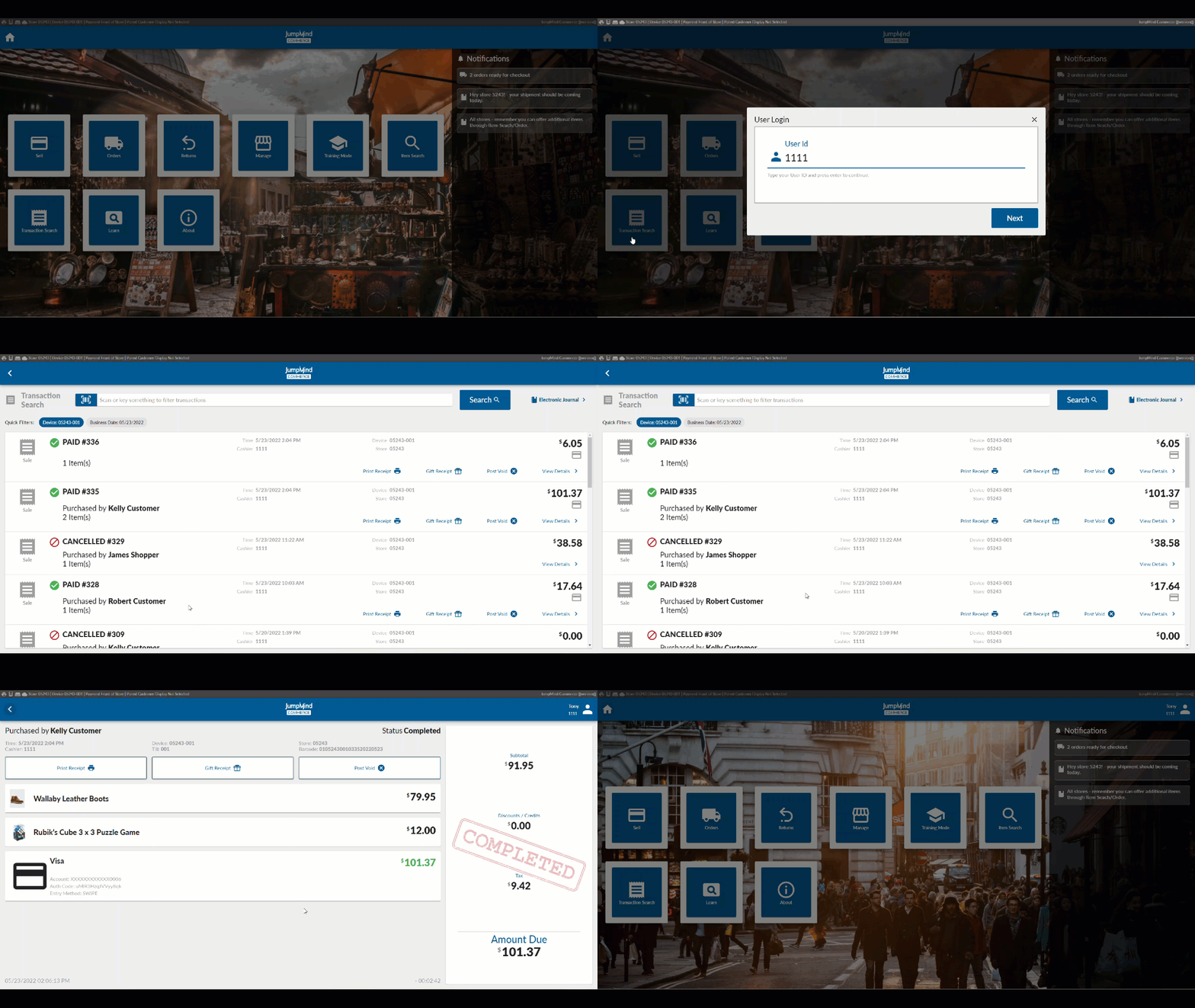
Once found, these are the options that can be taken:
- Reprint a receipt
- Print a gift receipt
- Post void the transaction
- View the details
The Electronic Journal can also be accessed from this screen. This function displays all transaction activity including any cash management and other manager functions executed.
Configuration Options
| Action | Field | Option |
|---|---|---|
| Select sellItemBuilder | sellItemBuilder | transactionDetailSellItemBuilder |
| Max length for UI scan or search bar | scanOrSearchMaxLength | ex. 70 |
| Number of days worth of past trans | transactionHistoryRangeDays | ex. 7 |
| Retail trans search should call the IRemoteTransMgmtService | searchRemote | True/False |
| Electronic Journal - Enabled | Enabled | True/False |
| EJ trans search should call the IRemoteTransMgmtService | searchRemote | True/False |
| Sort order | toResumeSortOrderByDate | (Ascending / Descending) |
| Store must be open for search | shouldCheckStoreOpen | True/False |
| Print button | Disable / Remove | |
| Gift Receipt button | GifReceipt | Disable / Remove |
| Post void button | PostVoid | Disable / Remove |