Orders
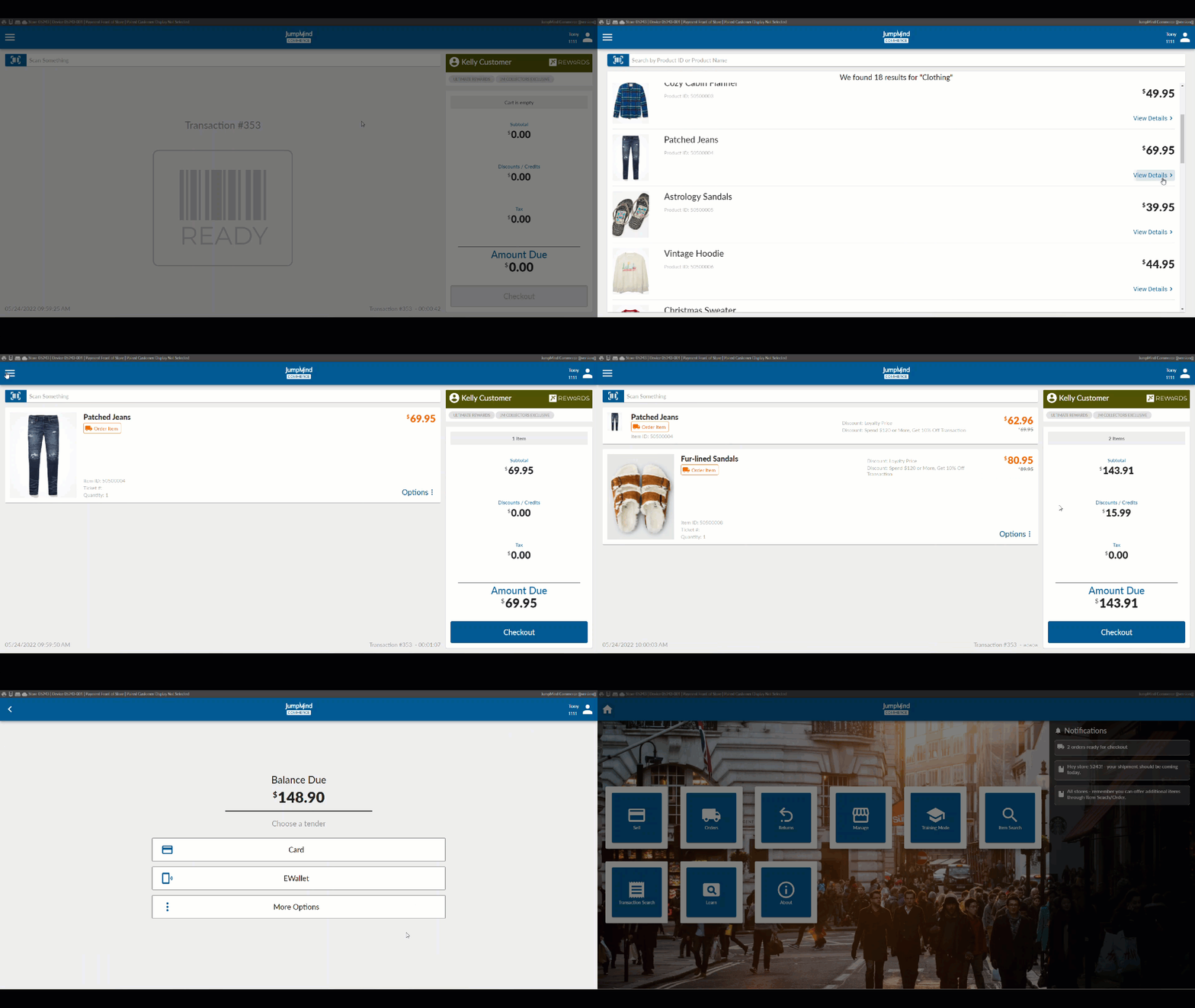
Orders are another type of transaction that are generated online (BOPIS) or in store (Endless Aisle). The action of the order could result in the goods purchased being shipped to or picked up by the customer.
Concepts
- Orders can be created by the customer online.
- Orders can be created by cashier in store.
- Orders created can be for direct shipment to the customer or for pickup in store.
- Commerce will notify the store staff if an order needs to be picked and or shipped.
- Orders are paid for when made.
Create Order (In Store - Endless Aisle Order)
When selecting items for the transaction, you simply select "Add to Order"
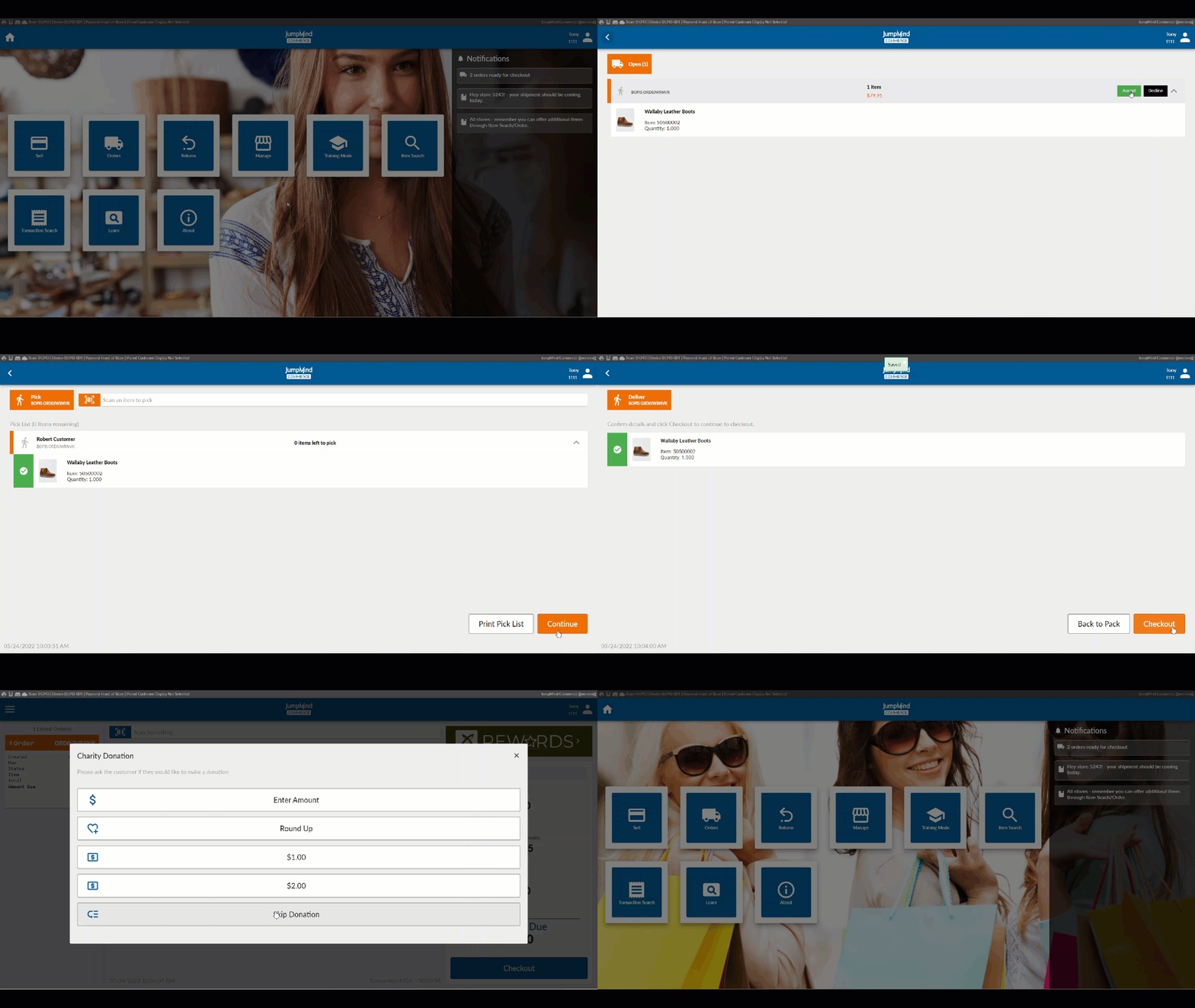
Order Notifications & BOPIS - Buy Online Pickup in Store
If there are any orders requiring action (picking, packing and/or shipping), a notification will display on the Home menu.
Configuration Options
| Action | Field | Option |
|---|---|---|
| Orders enabled | enabled | True/False |
| Mock orders | enabled | True/False |
| Tax allowed on order | allowedOnOrder | True/False |